


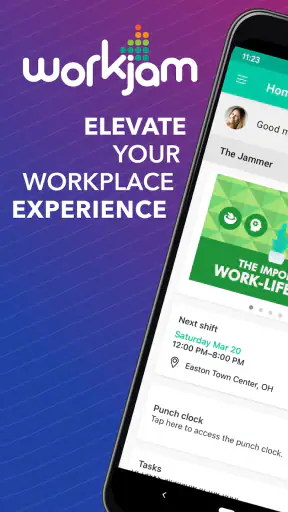
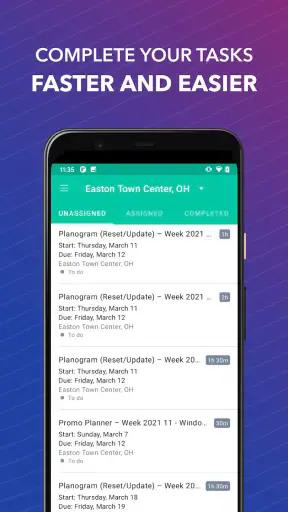
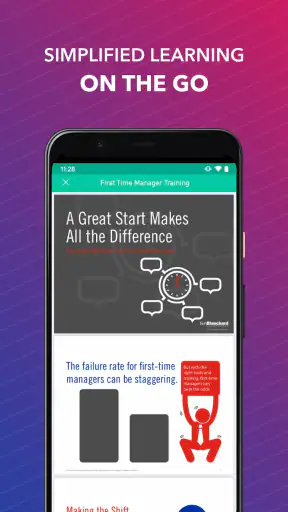
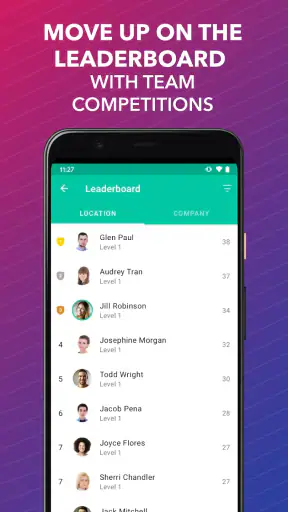
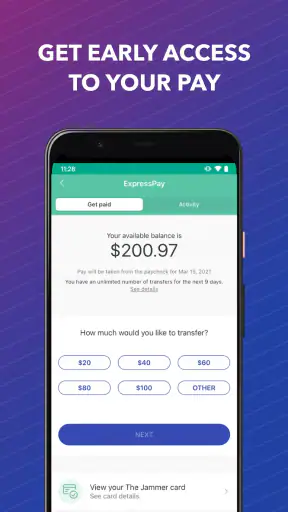
WorkJam is the kind of business app I would judge less by flashy presentation and more by whether it helps a busy hourly worker understand what is happening next. Developed by WorkJam, Inc., it brings work and shift management into one place, with a focus on schedules, workplace communication, and the practical details that usually get scattered across messages, paper notices, and separate systems. I found that its value depends heavily on how an employer has configured it, but the basic idea is easy to understand: give employees a single work-related space instead of making them chase information.
It is free to download and rated for Everyone, which makes it approachable for a broad workforce. The app has been available since September 3, 2015, and its current version is 2026.8.17. With an average rating of 4.4 from around 17 thousand ratings and more than a million installs, it is clearly used beyond a small pilot group. Still, those numbers do not tell me whether it will fit every workplace. WorkJam is most useful when a company actively uses it as part of its daily operations; it is much less compelling if your manager continues to rely on a different scheduling process.
How clearly WorkJam presents the workday
My first impression is that the app’s usefulness comes from reducing the number of places I need to check. For an hourly employee, the important question is rarely “What can this app do?” It is usually “Where is my next shift, and what do I need to know before I arrive?” A work-management app succeeds when those answers are easy to locate without making me interpret a complicated business dashboard.
WorkJam’s purpose is clearer than that of a general workplace collaboration tool. It is not trying to be a broad social network or a replacement for every business system. The emphasis is on the working day: shifts, updates, and information connected to employment. That narrower purpose helps the interface feel more relevant to retail, hospitality, healthcare, logistics, and other environments where schedules change and employees may not sit at a desk.
For readability, I would approach the app with one practical expectation: the experience can vary according to the employer’s setup. The developer supplies the platform, but the organization decides what information and workflows employees actually see. That means one person may have a neatly arranged schedule and useful notices, while another may encounter a more limited or less polished workspace. This is an important distinction when deciding whether a disappointing screen reflects the app itself or the way the workplace has implemented it.
I also like the fact that a dedicated work app can be easier to mentally separate from personal messaging. When shift information is buried in a group chat, an employee may miss a change while searching through unrelated conversation. A central work space gives the schedule a more appropriate home. In my view, that is one of the strongest reasons to use WorkJam rather than relying on informal messages alone.
Navigation that makes sense for hourly workers
The best way to use WorkJam is to treat it as a routine rather than an app I open only when something goes wrong. I would check it at the start of the week, review the next shift before leaving home, and look again after receiving a workplace update. That habit turns the app into a dependable reference point instead of another notification source competing for attention.
A useful tip is to verify the schedule in context rather than assuming that a message and a calendar entry always mean the same thing. If a supervisor announces a change, I would look for the corresponding schedule information inside WorkJam and make sure the shift details are consistent. This small double-check can prevent the common problem of remembering a message incorrectly several days later.
For someone with limited confidence using workplace technology, the focused purpose is helpful. There are fewer reasons to wander through unrelated tools, and the main task is connected to a familiar concept: finding work information. However, people who need very large text, strong contrast, screen-reader-friendly labeling, or simplified controls should test the actual interface on their device and ask their employer how the app is configured. I would not assume that a business platform automatically provides an equally comfortable experience for every user.
The app’s Everyone age rating also makes it feel broadly approachable from a content perspective, but age suitability is not the same as ease of use. A younger employee, an older worker, or someone returning to smartphone use may still need a short introduction. In a workplace, that training should explain where to find the schedule, how updates are presented, and which information remains official when several communication channels are active.
Readability, attention, and sensory comfort
WorkJam is particularly relevant for people who cannot constantly monitor email or a desktop portal. Hourly workers may be moving between departments, working on a sales floor, handling deliveries, or sharing devices at home. A mobile-first work reference can reduce dependence on a fixed workstation. That is a situational advantage rather than a guarantee of accessibility, but it matters in real life.
At the same time, mobile work information can create sensory friction. Notifications, schedule changes, and workplace messages may arrive when I am commuting, caring for a child, resting after a late shift, or concentrating on another task. I would avoid treating every alert as something that must be handled immediately. Instead, I would establish a quiet review period and check the app when I can read carefully. If the employer uses urgent updates, the organization should make clear which alerts require immediate attention and which can wait.
For a worker with hearing loss, written information inside the app may be preferable to relying on spoken announcements or informal conversations. For someone with visual fatigue, a phone screen may be harder than a printed schedule or a larger display. For a person with cognitive or attention-related needs, a single source of truth can be calming, but frequent changes across multiple channels can have the opposite effect. The app can support a better process, yet the workplace still has to communicate consistently.
One non-obvious trade-off is that centralization helps only when the information is maintained. If a manager changes a shift in one place but leaves an old notice elsewhere, the employee is left comparing sources. I would therefore ask a supervisor which screen is considered authoritative. That question is more valuable than simply asking whether the company “uses WorkJam,” because implementation quality determines how much confusion the app actually removes.
Using it in everyday situations
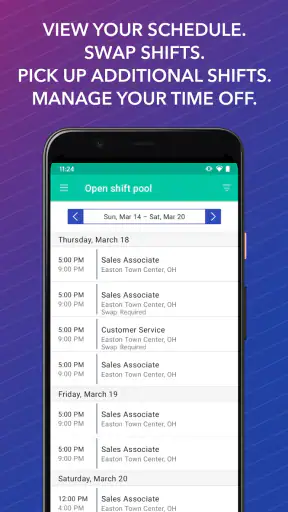
Imagine I work variable evening shifts at a store. On Monday, I open WorkJam to check the week, notice that one shift differs from my usual pattern, and review any workplace information attached to it. On Wednesday, a change is communicated. Rather than relying on memory, I check the updated schedule before arranging transportation. On Friday, I review the next shift while I still have time to prepare. This is a modest workflow, but it shows where the app can earn its place: it turns a vague question about work into a repeatable check.
Another useful situation is returning after time away. Instead of asking a coworker to summarize everything, I can use the app as a starting point for current scheduling information and workplace updates. That does not replace direct clarification when something is unclear, but it may reduce the amount of back-and-forth. For employees who work across changing locations or teams, having work details gathered in one mobile context can be especially practical.
Managers may also benefit when employees stop depending on personal phone numbers and scattered group chats for routine scheduling. However, I would not describe WorkJam as a magic solution for staffing problems. It cannot make an understaffed workplace fair, resolve a confusing policy, or compensate for supervisors who communicate late. Its strongest role is administrative clarity, not workplace culture.
There is also a useful boundary for privacy and attention. I would keep personal conversations and unrelated planning outside the work platform, even if the app becomes a central work channel. Separating work information from personal messaging makes it easier to review the schedule without getting drawn into other conversations, and it makes the end of a shift feel more definite.
Where it compares with familiar alternatives
The usual alternatives are a paper roster, email, text messages, a shared calendar, or an employer’s web portal. Paper is easy to understand and does not require a battery, but it becomes unreliable when shifts change after printing. Text messages are immediate, yet details can disappear in a busy conversation and personal numbers may be exposed to coworkers. Email provides a record, but it is not always convenient for employees who rarely sit at a computer.
A shared calendar can be excellent for people who already manage their lives digitally, but it may not include the workplace context an employee needs. A general collaboration platform may offer stronger conversation tools, but it can also bury a shift among channels, files, and unrelated notifications. WorkJam’s advantage is specialization: it is designed around hourly work rather than asking a general-purpose tool to imitate a scheduling system.
The trade-off is flexibility. If my workplace already has a reliable portal that combines scheduling, payroll, leave, and communication in a way everyone understands, adding another app may create more friction than value. Likewise, a small team with stable hours may find a simple shared calendar sufficient. WorkJam makes the most sense when schedules are variable, communication is currently fragmented, and the employer is prepared to keep the platform current.
Barriers that still affect inclusion
The largest barrier is not necessarily the screen; it is dependence on employer participation. An employee cannot get the full benefit from a work-management platform if supervisors do not update information promptly or if different departments use different channels. Before adopting it as my only reference, I would confirm how schedule changes are published, how far ahead employees are expected to check, and whom to contact when the app conflicts with a manager’s instruction.
Device access can also shape the experience. A worker with an older phone, limited storage, unreliable connectivity, or restricted data may find any mobile work app inconvenient. The minimum operating system is Android 7.0 or later, so compatibility should be checked before expecting every employee to use the same workflow. In a genuinely inclusive workplace, people should not be penalized for technical limitations they cannot easily fix; there should be a practical backup for receiving essential schedule information.
Language, literacy, and familiarity with workplace terminology are other considerations. A schedule may look simple to an experienced employee but still be confusing if locations, role names, or abbreviations are not explained. I would judge the app together with the employer’s instructions, not in isolation. A short orientation using a real upcoming shift would be more useful than a generic demonstration.
People with motor limitations may need more time to tap accurately, scroll, or respond to changes. Someone with tremors or reduced dexterity may prefer using the app when seated rather than while moving between tasks. Workers with visual or sensory needs may benefit from device-level settings, but the actual result depends on how the app presents text, controls, and alerts. I would test the core task—finding the next shift—before relying on the app for urgent decisions.
These limitations do not make WorkJam unsuitable, but they do change the recommendation. For a worker who needs a highly simplified interface, a printed schedule or direct human support may remain important. For someone who cannot use a smartphone reliably, the employer should provide an alternative. The app should improve access to work information, not become a new condition for receiving it.
Who should use WorkJam, and who should skip it?
I would recommend WorkJam to hourly employees whose schedules move around, especially when the current system involves several message threads or last-minute notices. It is also a reasonable fit for organizations that want one mobile place for shift-related information and can commit to keeping it accurate. The fact that it is free for users removes one obvious barrier to trying it, although the workplace’s own rollout still determines the experience.
I would be more cautious if your hours are fixed, your team already uses a clear and trusted schedule, or your employer rarely maintains digital tools. In those cases, WorkJam may become another inbox to check rather than a genuine improvement. I would also avoid assuming that installing it alone gives access to a workplace; your employer’s setup and invitation process are central to whether it is useful.
For accessibility, my recommendation is practical rather than absolute. Try the app with the exact tasks you will perform, adjust your phone’s text and display settings, and ask for a backup communication method if reading or operating the app is difficult. If you use assistive technology, test schedule reading and navigation before an important shift. That approach respects individual needs without pretending that one interface works identically for everyone.
My inclusive verdict
After looking at WorkJam as a daily work tool rather than a simple download, I see a focused app with a sensible purpose. Its strongest quality is the possibility of replacing scattered shift information with a more organized routine. For employees who live by changing schedules, that can mean less uncertainty before work and fewer messages to search through later.
Its inclusive value is more conditional. A mobile schedule can help people who are away from desks, prefer written information, or need to check work privately at a convenient time. But the experience still depends on readable presentation, manageable notifications, compatible devices, and an employer that treats the app as an accurate source. Those conditions should be discussed openly rather than left for employees to discover after a missed update.
WorkJam, from WorkJam, Inc., is free and has the scale of a mature business app, with a 4.4 average and over a million installs. I would choose it when my workplace uses it consistently and my main problem is finding current shift information. I would look elsewhere—or ask for an alternative—when the real issue is poor communication, inaccessible hardware, or a need for a simpler and more personal scheduling method.
My bottom line: WorkJam is worth using when it becomes the dependable home for your working day, not merely another place where notices appear. Its best feature is not a clever trick; it is the chance to make essential work information easier to find. Just make sure the surrounding workplace process is as clear and inclusive as the app is expected to be.


